|
|

楼主 |
发表于 2018-4-6 13:01:03
|
显示全部楼层
完成了,
spider.py
- # -*- coding: utf-8 -*-
- import scrapy
- from op.items import OpItem
- import re
- import os
- from scrapy.http import Request
- import requests
- import time
- class MyspiderSpider(scrapy.Spider):
- name = 'myspider'
- #allowed_domains = ['http://www.zhaojianpu.com/liuxing/']
- start_urls = ['http://www.zhaojianpu.com/liuxing//']
- # 文件保存路径
- base = r'/home/wongyusing/桌面/op/op/download/'
- def parse(self, response):
- items = []
- pattern = r'<li><a href="(.*?)" target="_blank">(.*?)</a></li>'
- mains = re.findall(pattern, response.text)
- reg = '<font color="FF0000">(.*?)</font>'#获取当前页,并用做文件夹名
- for main in mains:
- item = OpItem()
- #获取乐谱的url
- item['siteURL'] = main[0]
- #获取标题
- item['title'] = main[1]
- # 获取当前页,并用做文件夹名,/home/wongyusing/桌面/op/op/download/第3页/
- item['page_Name'] = self.base + '第' + re.findall(reg, response.text)[0] + '页'
- #制作文件夹路径,“/home/wongyusing/桌面/op/op/download/第3页/爱了再说简谱图片”
- item['fileName'] = item['page_Name'] + '/' + item['title'] #6.os.path.exists(path)如果path存在,返回True;如果path不存在,返回False。
- items.append(item)
- for item in items: #创建文件夹
- fileName=item['fileName']
- if not os.path.exists(fileName):
- os.makedirs(fileName)#/home/wongyusing/桌面/op/op/download/第3页/爱了再说简谱图片
- # 6.os.path.exists(path)如果path存在,返回True
- #用meta传入下一层
- yield Request(url=item['siteURL'],meta={'item1':item},callback=self.parse_two)
- #获取乐谱数共18374篇乐谱
- all_score = response.xpath('/html/body/div[7]/div/b[1]/text()').extract()[0]
- #获取一页有多少篇乐谱
- row = response.xpath('/html/body/div[7]/div/b[2]/text()').extract()[0]
- max_page = int(all_score)//int(row)#地板除得出总页数
- for pa in range(1,max_page+1):#拼接URL,回调上去继续获取乐谱url列表
- page_url = 'http://www.zhaojianpu.com/liuxing/List_' + str(pa) + '.html'
- yield Request(page_url, callback=self.parse)
- def parse_two(self,response):
- item = OpItem()
- #获取图片的url
- url_3 = response.xpath('//*[@id="Article"]/div[1]/img/@src').extract()[0]
- #item2 = response.meta['item1']
- suffix = url_3[-4:] #获取后缀,因为图片有两种格式.gif和.jpg格式
- #print(url_3)
- time.sleep(10)
- item['detailURL'] = 'http://www.zhaojianpu.com' + response.xpath('//*[@id="Article"]/div[1]/img/@src').extract()[0]
- item['content'] = response.xpath('//*[@id="Article"]/div[1]/p[1]/text()').extract()[0]
- item2 = response.meta['item1']
- item['path'] = item2['fileName'] + '/' + 'music' + suffix #生成绝对路径保存图片
- item['path2'] = item2['fileName'] + '/' + '简介' + '.txt' #生成绝对路径保存简介
- #print(item['path'])
- yield item
-
items.py
- import scrapy
- class OpItem(scrapy.Item):
- # define the fields for your item here like:
- # name = scrapy.Field()
- siteURL = scrapy.Field() # 首页中乐谱的URL
- pageURL = scrapy.Field() #每一张图片入口URL
- page_Name = scrapy.Field()#页码名字,用作保存
- detailURL = scrapy.Field() #图片原图地址
- content = scrapy.Field()#乐谱简介
- title = scrapy.Field() #乐谱的标题
- fileName = scrapy.Field() #文件夹名,每一个乐谱一个文件夹
- path = scrapy.Field() #图片存储路径(绝对路径)
- path2 = scrapy.Field()#简介的绝对路径
pipe文件
- import requests
- import sys
- from op.items import OpItem
- class OpPipeline(object):
- def process_item(self, item, spider):
- detailURL = item['detailURL']
- path = item['path']
- image = requests.get(detailURL)
- f = open(path, 'wb')
- f.write(image.content)
- f.close()
- content = item['content']
- filename_path = item['path2']
- with open(filename_path, 'w', encoding='utf-8') as f:
- f.write(content + "\n")
- return item
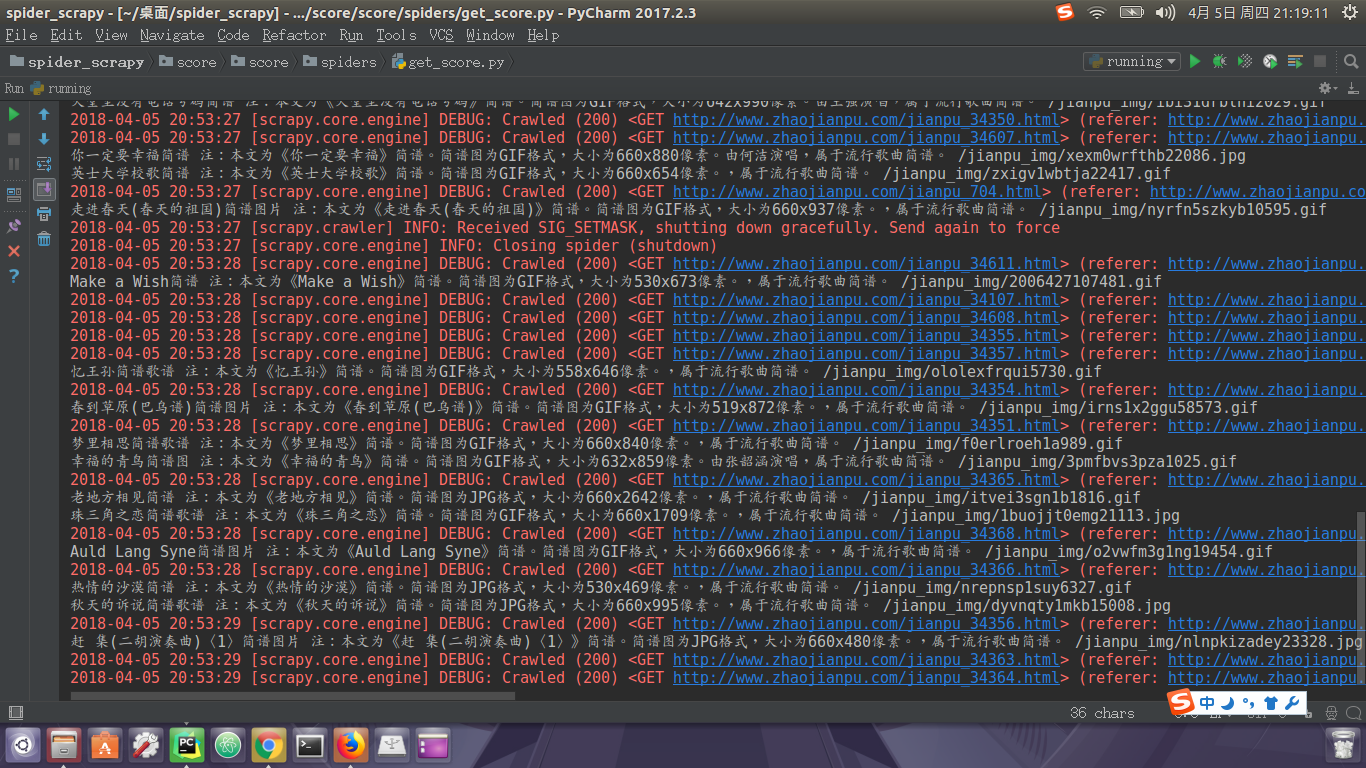
从4点钟运行到现在13点,没断过。 |
|
 ( 粤ICP备18085999号-1 | 粤公网安备 44051102000585号)


 狗仔卡
狗仔卡 发表于 2018-4-5 21:26:04
 置顶卡
置顶卡 千斤顶
千斤顶 显身卡
显身卡